
Their Moments,
Instantly There
Turn galleries into interactive and personalized experiences that drive engagement, sharing, and sales. Gallery visitors can instantly curate and find the moments they're looking for.


























Many Ways to Find Every Moment
Making the Most of Every Gallery
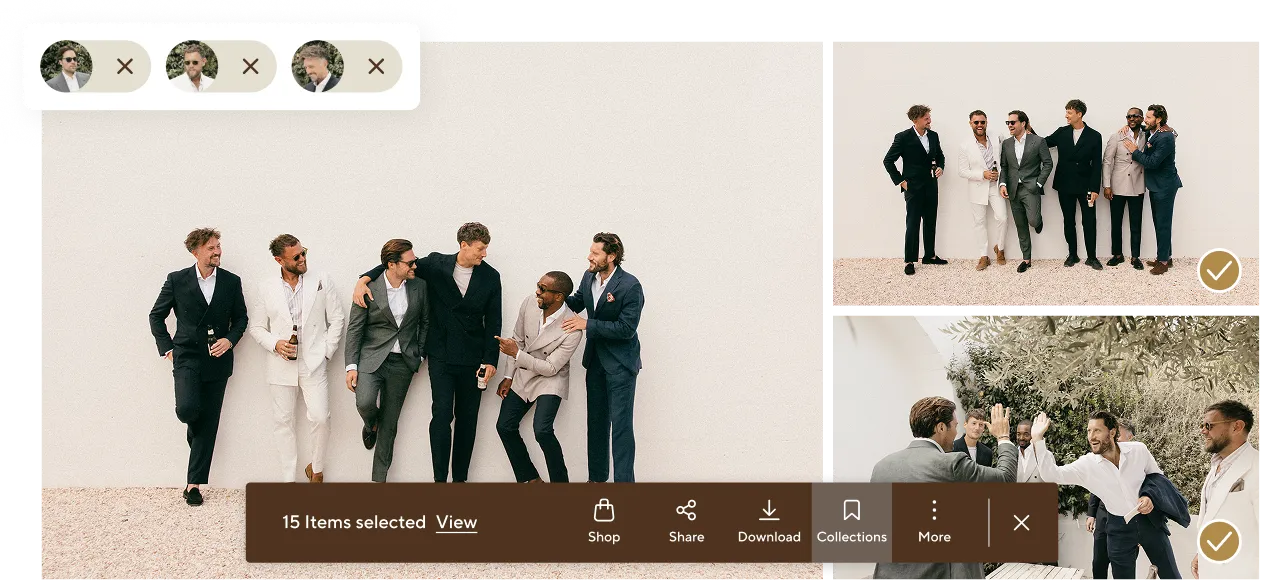
AI Image Filter for Photographers

“Pic-Time is constantly evolving and rolling out new features. They're listening to photographers, and that makes all the difference.”Jennifer Moher

״My business wouldn’t be the same without Pic-Time.״Anni Graham

“Pic-Time brings a smooth, elevated experience to my couples, while marketing tools work quietly in the background to create steady passive income. So grateful for Pic-Time and the people behind it.”Nirav Patel
Find the plan that's right for you
Unlimited Photo Storage, 60GB Video Storage, Next Gen Album Designer, AI Image Search for Clients, 10K Licensed Music Tracks, Much more
FAQs
Gallery visitors can search by faces, keywords, or Selfie Search to quickly find the images most relevant to them. They can also combine face and keyword search to find specific moments featuring specific people.
Yes. Visitors can select a person and add a keyword, such as “speech,” “dancing,” or “pets,” to narrow the results and find more specific moments in seconds.
AI Photo Search can be enabled or disabled from your account settings, individual gallery settings, or gallery templates. You can also let the Main Client decide whether to enable AI Search for themselves and other gallery guests.
AI Search for Clients is available on Advanced plans. AI Image Filter for Photographers is available on Professional and Advanced plans.
Yes. Pic-Time’s AI Search tools are powered by an exclusive AI model developed within Pic-Time, so image data is not shared with third-party image detection providers.
Pic-Time stores only photos and their mathematical representations. Although this data may be defined as “biometric data” in certain jurisdictions, it is not associated with any personal data or used to identify individuals. Selfie Search simply matches a guest’s facial features to their photos within the gallery. The selfie information is not saved or stored, and guests will need to re-photograph their face when starting a new browser session.